
5 Best Bill-to-Excel SaaS Tools Compared (2026)
March 28, 2026

BillExtractor.com Wins Our Real-World Receipt Test
If you have ever spent hours manually typing bill data into Excel, you know how painful and error-prone it can be. To find the best automated bill-to-Excel tool, we tested 5 leading SaaS platforms with one real restaurant receipt.
We measured:
- Extraction accuracy
- Excel export support
- Speed and ease of use
- Cleanliness of output
After full testing, BillExtractor.com was the clear winner.
Our test document
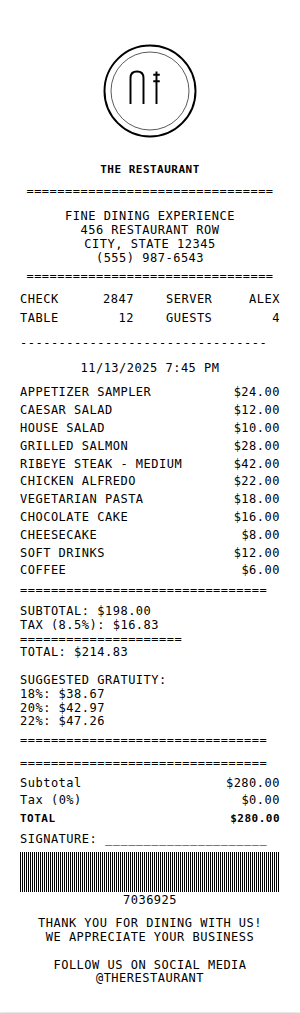
We used a realistic restaurant bill with:
- Merchant details
- Date, server, and table number
- 11 line items with prices
- Subtotal, tax, total, and suggested gratuity
1) Bill2Sheet.com
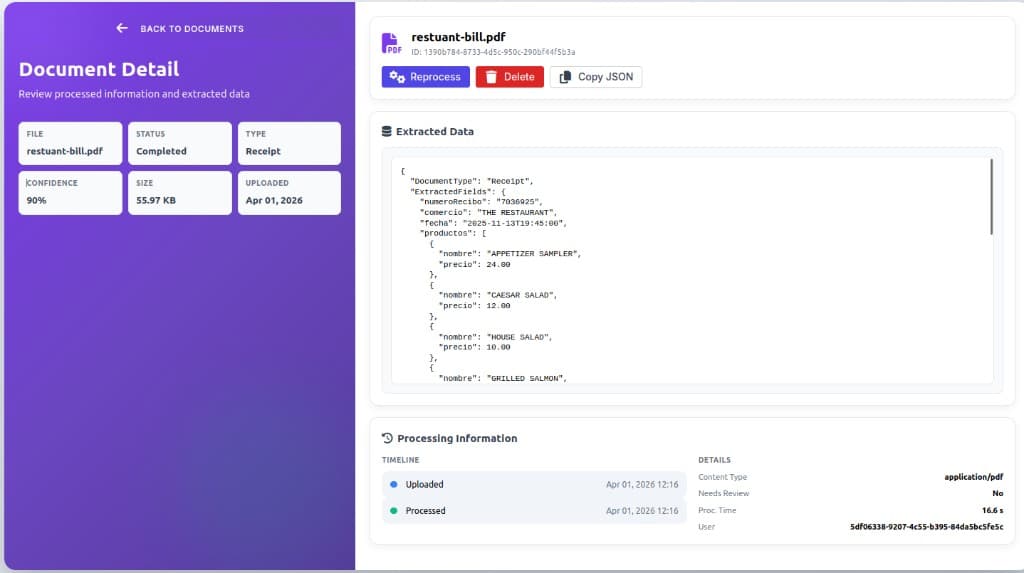
Score: 7/10. It processed the receipt in about 16.6 seconds with 90% confidence and returned valid JSON.
Weak points we found:
- Spanish field names for English bills (for example: productos, precio, numeroRecibo)
- Free plan provides JSON only, no Excel export
- Pricing starts at $29/month for basic extraction, which is expensive for small teams
- Output is not accountant-friendly
Pricing verdict: Bill2Sheet pricing is expensive compared with lightweight bill-to-Excel use cases.

2) ExtractBill.com
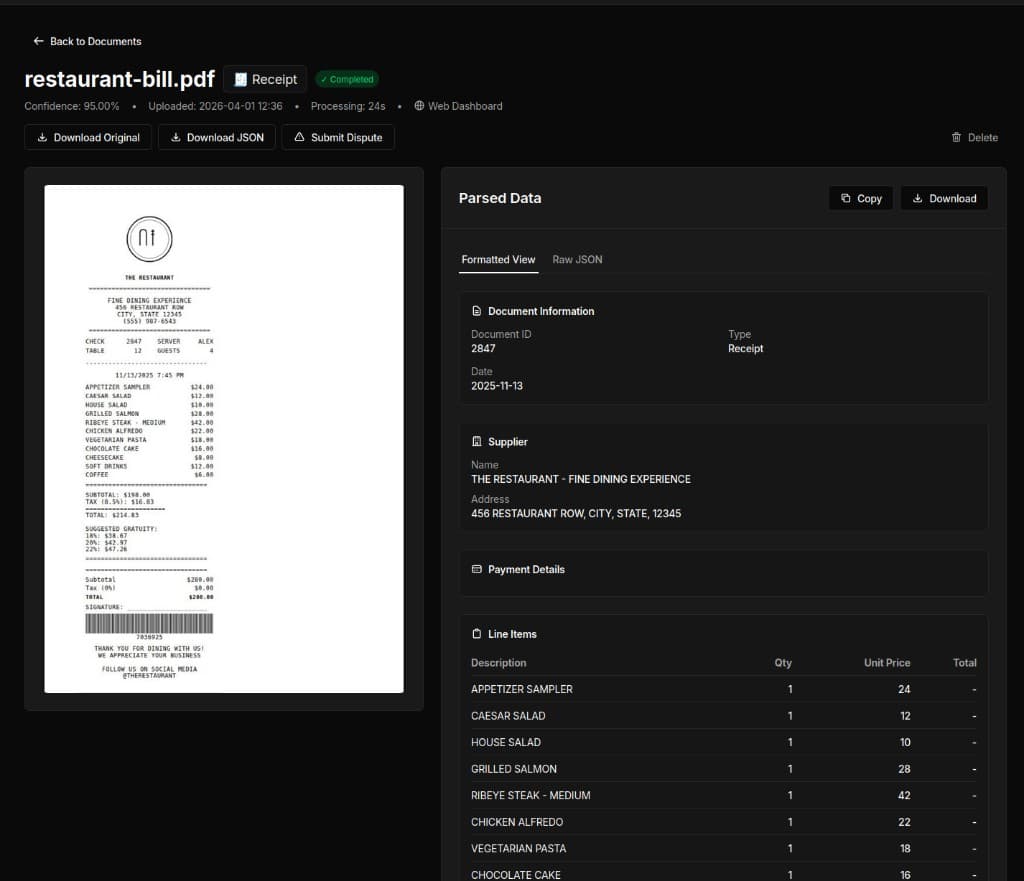
Score: 6/10. It reached 95% confidence and recognized merchant info, tax, and line items.
Downsides:
- JSON has redundant fields (likely from fixed prompts)
- No Excel download, JSON only
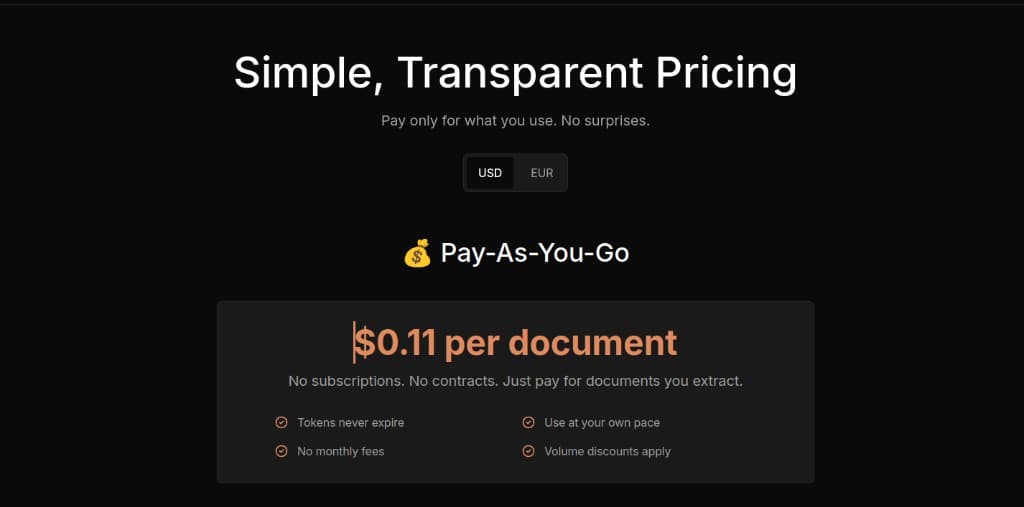
- Pay-as-you-go pricing ($0.10/document) can get expensive at scale
- Not optimized for accounting workflows
3) CloudConvert.com
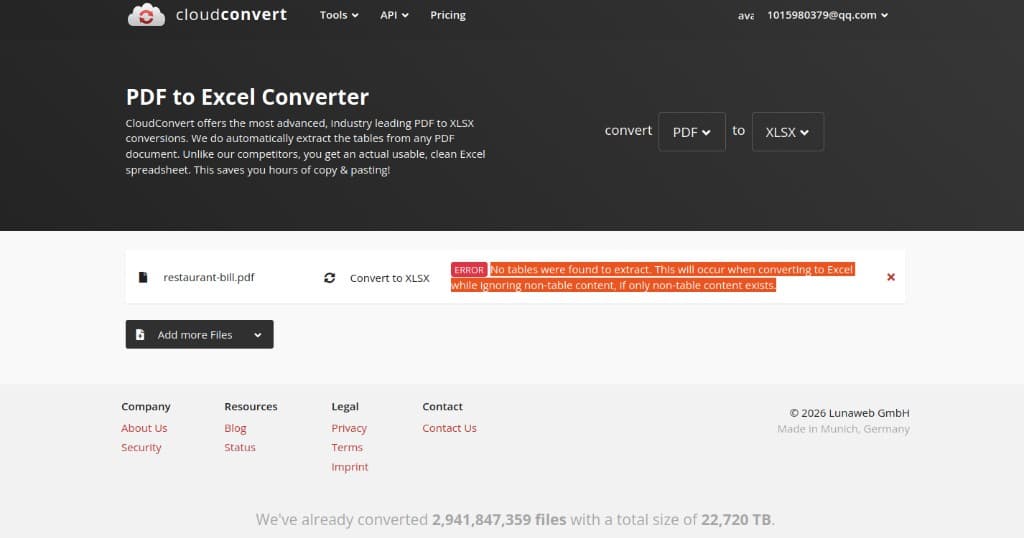
Score: 0/10. It failed this receipt test with: "No tables were found to extract."
In practice, it could not recognize a real-life receipt image/PDF and seemed better suited for formal table PDFs.
4) ParseBills.com
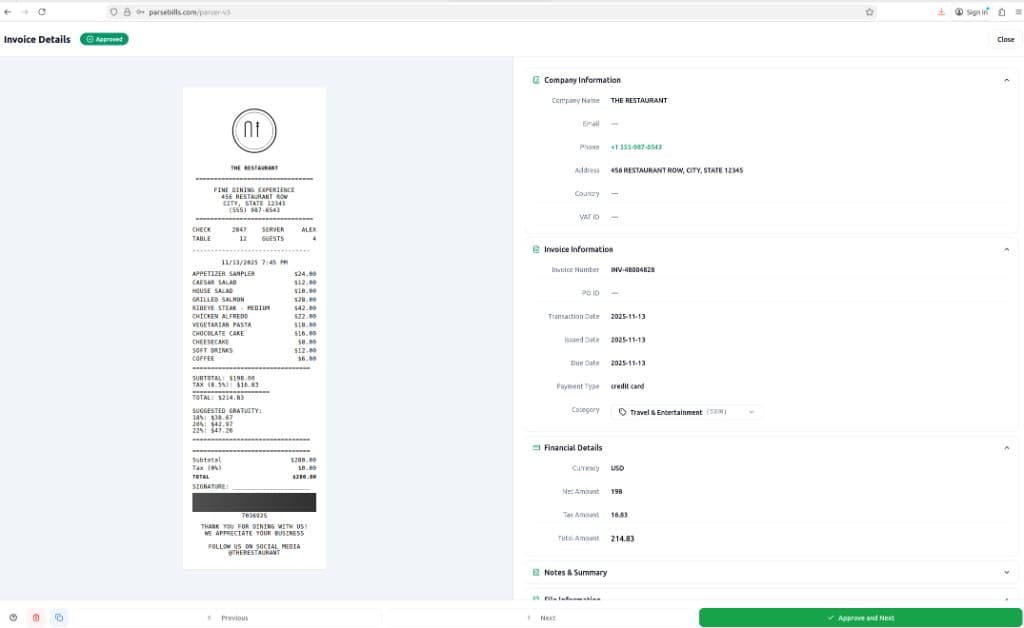
Score: 4/10. It misclassified the receipt as an invoice and forced data into an invoice template.
Issues:
- Mostly company and invoice summary fields
- No clear line-item extraction
- Messy output that was not Excel-ready
5) BillExtractor.com (Best performer)
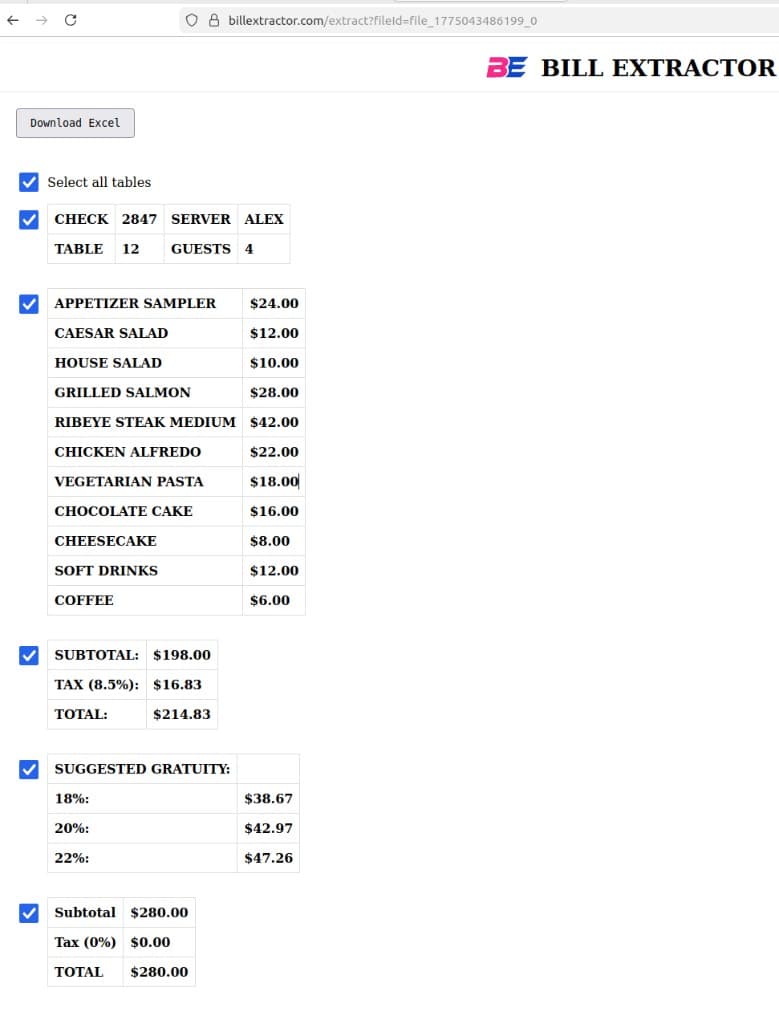
Score: 10/10. It extracted all parts of the bill and produced clean, ready-to-use Excel.
Why it ranked #1:
- Extracts line items, subtotal, tax, total, and gratuity
- Detects multiple tables on one page
- One-click Excel download
- Lets users select which tables to export
- Clean formatted spreadsheets with little to no manual cleanup
- Built specifically for bills and receipts
Final test results summary
| Tool | Score | Excel Export | Accuracy | Usable for Bills? |
|---|---|---|---|---|
| BillExtractor.com | 10/10 | Yes | 100% | Yes |
| Bill2Sheet.com | 7/10 | No (free plan) | Good | Limited |
| ExtractBill.com | 6/10 | No | Good | Limited |
| CloudConvert.com | 0/10 | Failed | 0% | No |
| ParseBills.com | 4/10 | Poor | Low | No |
Conclusion
If you need to convert bills, receipts, invoices, or restaurant checks to Excel quickly and accurately, BillExtractor.com was the most reliable and user-friendly option in our test.
No more manual typing. No more messy JSON. Just clean Excel every time.